Asynchronous processing is essential to preserving performance and scalability in a contemporary microservices or modular system. Consider that each time a user registers or a new product is introduced, your application must send an email. Your API will slow down and prevent additional requests if you carry out this action synchronously inside the request pipeline. RabbitMQ, a message broker, can help with that. It enables you to publish messages (such as "Send this email") into a queue that a background service can subsequently use to deliver the email. This separates your API logic from slow or time-consuming processes.
Step 1. Pull RabbitMQ Docker Image
Run the following command to pull and start RabbitMQ (with management dashboard):
docker run -d --hostname rabbitmq-host --name rabbitmq -p 5672:5672 -p 15672:15672 rabbitmq:3-management
Ports Explanation:
- 5672 → for app communication
- 15672 → for web dashboard (management UI)
Then open your browser and visit:
http://localhost:15672
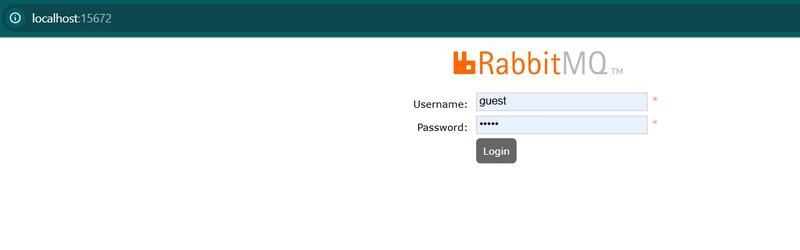
Default credentials:
Username: guest | Password: guest
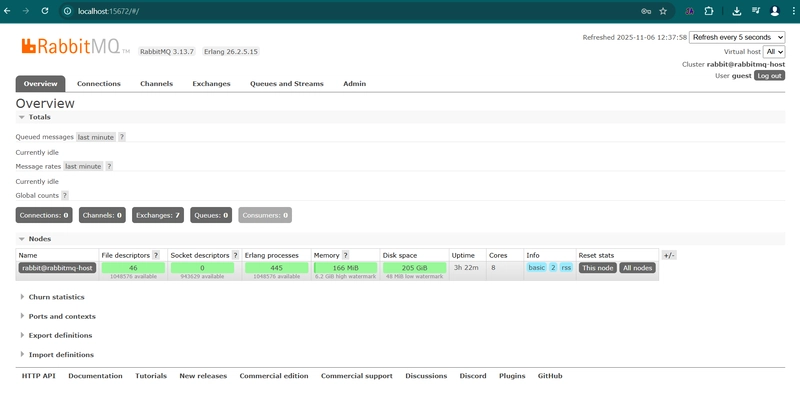
Step 2. Install NuGet Package
In the Infrastructure project, install the official RabbitMQ client library:
dotnet add ECommerce.Infrastructure package RabbitMQ.Client --version 6.8.1
dotnet add ECommerce.Infrastructure package Microsoft.Extensions.Configuration.Binder
dotnet add ECommerce.Infrastructure package Microsoft.Extensions.Hosting --version 8.0.1
Step 3. Create Message Queue Interface
Path: ECommerce.Application/Services/Interfaces/IMessageQueueService.cs
namespace ECommerce.Application.Services.Interfaces;
public interface IMessageQueueService
{
Task PublishAsync<T>(string queueName, T message);
void Subscribe<T>(string queueName, Func<T, Task> handler);
}
This defines a simple contract for publishing and consuming messages.
Step 4. Implement RabbitMQ Service
Path: ECommerce.Infrastructure/Messaging/RabbitMQService.cs
using ECommerce.Application.Services.Interfaces;
using Microsoft.Extensions.Configuration;
using RabbitMQ.Client;
using RabbitMQ.Client.Events;
using System.Text;
using System.Text.Json;
namespace ECommerce.Infrastructure.Messaging;
public class RabbitMQService : IMessageQueueService, IDisposable
{
private readonly IConnection _connection;
private readonly RabbitMQ.Client.IModel _channel;
public RabbitMQService(IConfiguration configuration)
{
var factory = new ConnectionFactory
{
HostName = configuration.GetValue<string>("RabbitMQ:Host") ?? "localhost",
UserName = configuration.GetValue<string>("RabbitMQ:Username") ?? "guest",
Password = configuration.GetValue<string>("RabbitMQ:Password") ?? "guest",
Port = configuration.GetValue<int?>("RabbitMQ:Port") ?? 5672
};
_connection = factory.CreateConnection();
_channel = _connection.CreateModel();
}
public Task PublishAsync<T>(string queueName, T message)
{
_channel.QueueDeclare(queueName, durable: true, exclusive: false, autoDelete: false);
var body = Encoding.UTF8.GetBytes(JsonSerializer.Serialize(message));
_channel.BasicPublish("", queueName, null, body);
Console.WriteLine($"📤 Published message to queue '{queueName}'");
return Task.CompletedTask;
}
public void Subscribe<T>(string queueName, Func<T, Task> handler)
{
_channel.QueueDeclare(queueName, durable: true, exclusive: false, autoDelete: false);
var consumer = new EventingBasicConsumer(_channel);
consumer.Received += async (sender, ea) =>
{
var body = ea.Body.ToArray();
var message = JsonSerializer.Deserialize<T>(Encoding.UTF8.GetString(body));
if (message != null)
await handler(message);
};
_channel.BasicConsume(queueName, autoAck: true, consumer: consumer);
Console.WriteLine($"📥 Subscribed to queue '{queueName}'");
}
public void Dispose()
{
_channel?.Dispose();
_connection?.Dispose();
}
}
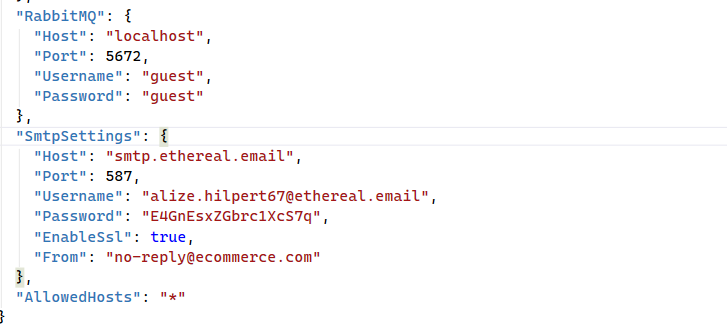
Step 5. Add Configuration in appsettings.json (we will use ethereal.email for testing)
"RabbitMQ": {
"Host": "localhost",
"Port": 5672,
"Username": "guest",
"Password": "guest"
},
"SmtpSettings": {
"Host": "smtp.ethereal.email",
"Port": 587,
"Username": "[email protected]",
"Password": "E4GnEsxZGbrc1XcS7q",
"EnableSsl": true,
"From": "[email protected]"
}
Step 6. Email Notification DTO
Path: ECommerce.Application/DTOs/EmailNotificationDto.cs
namespace ECommerce.Application.DTOs;
public class EmailNotificationDto
{
public string To { get; set; } = string.Empty;
public string Subject { get; set; } = string.Empty;
public string Body { get; set; } = string.Empty;
}
Step 7. Add Interface for Email Sender
Path: ECommerce.Application/Services/Interfaces/IEmailSenderService.cs
using ECommerce.Application.DTOs;
namespace ECommerce.Application.Services.Interfaces;
public interface IEmailSenderService
{
Task SendEmailAsync(EmailNotificationDto email);
}
Step 8. Email Sender Service
Path: ECommerce.Infrastructure/Email/EmailSenderService.cs
using ECommerce.Application.DTOs;
using ECommerce.Application.Services.Interfaces;
using Microsoft.Extensions.Configuration;
using System.Net;
using System.Net.Mail;
namespace ECommerce.Infrastructure.Email;
public class EmailSenderService : IEmailSenderService
{
private readonly IConfiguration _config;
public EmailSenderService(IConfiguration config)
{
_config = config;
}
public async Task SendEmailAsync(EmailNotificationDto email)
{
var smtp = _config.GetSection("SmtpSettings");
using var client = new SmtpClient(smtp["Host"], int.Parse(smtp["Port"] ?? "587"))
{
Credentials = new NetworkCredential(smtp["Username"], smtp["Password"]),
EnableSsl = bool.Parse(smtp["EnableSsl"] ?? "true")
};
var message = new MailMessage
{
From = new MailAddress(smtp["From"] ?? smtp["Username"]),
Subject = email.Subject,
Body = email.Body,
IsBodyHtml = true
};
message.To.Add(email.To);
await client.SendMailAsync(message);
Console.WriteLine($"📨 Email sent to {email.To}");
}
}
Step 9. Background Worker to Consume Email Queue
Path: ECommerce.API/BackgroundServices/EmailNotificationConsumer.cs
using ECommerce.Application.DTOs;
using ECommerce.Application.Services.Interfaces;
namespace ECommerce.API.BackgroundServices;
public class EmailNotificationConsumer : BackgroundService
{
private readonly IMessageQueueService _queue;
private readonly IEmailSenderService _emailSender;
public EmailNotificationConsumer(IMessageQueueService queue, IEmailSenderService emailSender)
{
_queue = queue;
_emailSender = emailSender;
}
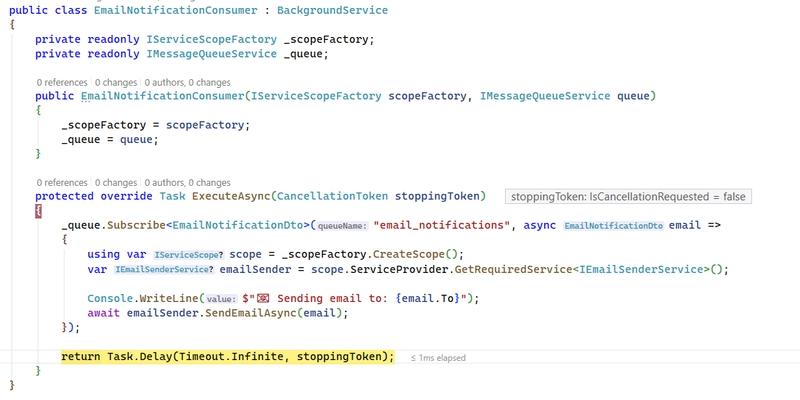
protected override Task ExecuteAsync(CancellationToken stoppingToken)
{
_queue.Subscribe<EmailNotificationDto>("email_notifications", async email =>
{
Console.WriteLine($"📧 Sending email to: {email.To}");
await _emailSender.SendEmailAsync(email);
});
return Task.CompletedTask;
}
}
Step 10. Register Everything DependencyInjection.cs
Path: ECommerce.Infrastructure/DependencyInjection.cs
using ECommerce.API.BackgroundServices;
using ECommerce.Application.Services.Interfaces;
using ECommerce.Infrastructure.Caching;
using ECommerce.Infrastructure.Data;
using ECommerce.Infrastructure.Email;
using ECommerce.Infrastructure.Messaging;
using Microsoft.EntityFrameworkCore;
using Microsoft.Extensions.Configuration;
using Microsoft.Extensions.DependencyInjection;
using StackExchange.Redis;
namespace ECommerce.Infrastructure;
public static class DependencyInjection
{
public static IServiceCollection AddInfrastructure(
this IServiceCollection services,
IConfiguration configuration)
{
var provider = configuration["DatabaseProvider"] ?? "MySQL";
if (string.Equals(provider, "SqlServer", StringComparison.OrdinalIgnoreCase))
{
var conn = configuration.GetConnectionString("SqlServer");
services.AddDbContext<AppDbContext, SqlServerDbContext>(options =>
options.UseSqlServer(conn));
}
else if (string.Equals(provider, "MySQL", StringComparison.OrdinalIgnoreCase))
{
var conn = configuration.GetConnectionString("MySQL");
services.AddDbContext<AppDbContext, MySqlDbContext>(options =>
options.UseMySql(conn, ServerVersion.AutoDetect(conn)));
}
else if (string.Equals(provider, "PostgreSQL", StringComparison.OrdinalIgnoreCase))
{
var conn = configuration.GetConnectionString("PostgreSQL");
services.AddDbContext<AppDbContext, PostgresDbContext>(options =>
options.UseNpgsql(conn));
}
else
{
throw new InvalidOperationException($"Unsupported provider: {provider}");
}
// ✅ Redis cache setup
var redisConnection = configuration.GetConnectionString("Redis");
if (!string.IsNullOrEmpty(redisConnection))
{
services.AddSingleton<IConnectionMultiplexer>(sp =>
ConnectionMultiplexer.Connect(redisConnection));
services.AddSingleton<ICacheService, RedisCacheService>();
}
// RabbitMQ setup
services.AddSingleton<IMessageQueueService, RabbitMQService>();
services.AddScoped<IEmailSenderService, EmailSenderService>();
return services;
}
}

Step 11. Update Program.cs
Path: ECommerce.API/Program.cs
// add infrastructure (DbContext + provider selection)
builder.Services.AddInfrastructure(builder.Configuration);
builder.Services.AddHostedService<EmailNotificationConsumer>();

Step 12. Lets Test
Try Using Swagger
Backend Code
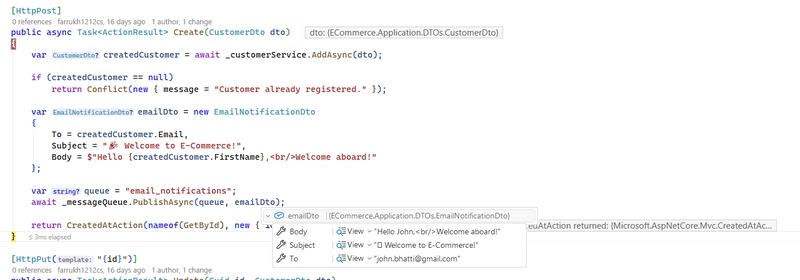
RabbitMQ
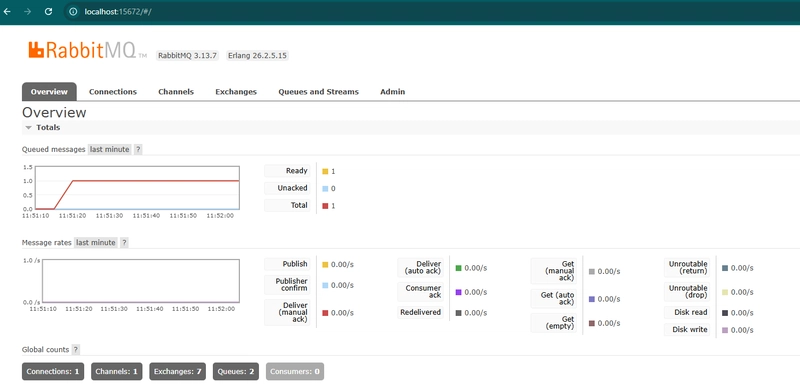
Consumer
RabbitMQ Service

HostForLIFE.eu SQL Server 2022 Hosting
HostForLIFE.eu is European Windows Hosting Provider which focuses on Windows Platform only. We deliver on-demand hosting solutions including Shared hosting, Reseller Hosting, Cloud Hosting, Dedicated Servers, and IT as a Service for companies of all sizes.
